
Download Xlinksoft Picture Encryption – Secure Your Private Images with Ease
Protect your most personal moments with Xlinksoft Picture Encryption, a powerful and intuitive tool designed to keep your private photos safe from unauthorized access. Whether you're storing family memories, sensitive documents, or personal images, this software offers robust encryption to ensure your data remains confidential. With a simple interface and advanced security protocols, Xlinksoft Picture Encryption allows you to encrypt images in seconds—no technical expertise required.
The software supports multiple file formats, including JPEG, PNG, BMP, and more, making it compatible with almost any image you might want to protect. Whether you're using a Windows PC, Mac, or even an Android device, Xlinksoft delivers reliable encryption across platforms. Its fast encryption and decryption speeds mean you can secure your photos and access them later without delays.
Best of all, it’s completely free to download and use, with no hidden fees or trial limitations. Take full control of your digital privacy with a tool that combines ease of use, speed, and top-tier security.
Why Choose Xlinksoft Picture Encryption for Image Security?
Privacy is more important than ever, especially when it comes to personal photos and sensitive visual data. Xlinksoft Picture Encryption stands out in a crowded market of image protection tools by combining strong encryption with a user-friendly experience. Unlike basic file hiding methods that can be easily bypassed, this software uses advanced AES-256 encryption—industry-standard security used by governments and financial institutions.
This means your images aren’t just hidden; they’re transformed into unreadable data without the correct password. The process is seamless: simply select the images you want to secure, set a strong password, and choose a secure storage location. Once encrypted, the files become inaccessible to anyone without the password, even if they gain access to your device.
The software also includes a built-in decryption feature, allowing you to retrieve your images quickly when needed. What sets Xlinksoft apart is its minimal system impact—despite its powerful encryption, it runs smoothly in the background without slowing down your computer. It’s perfect for users who want peace of mind without compromising performance.
Additionally, the software supports batch processing, so you can encrypt dozens of photos at once, saving time and effort. Whether you’re a casual user or managing a large personal photo library, Xlinksoft Picture Encryption delivers reliable, scalable protection that adapts to your needs.
How to Install and Use Xlinksoft Picture Encryption
Getting started with Xlinksoft Picture Encryption is quick and straightforward. Begin by visiting the official website and downloading the software—available for Windows and Mac operating systems. The installer is lightweight, taking less than a minute to complete.
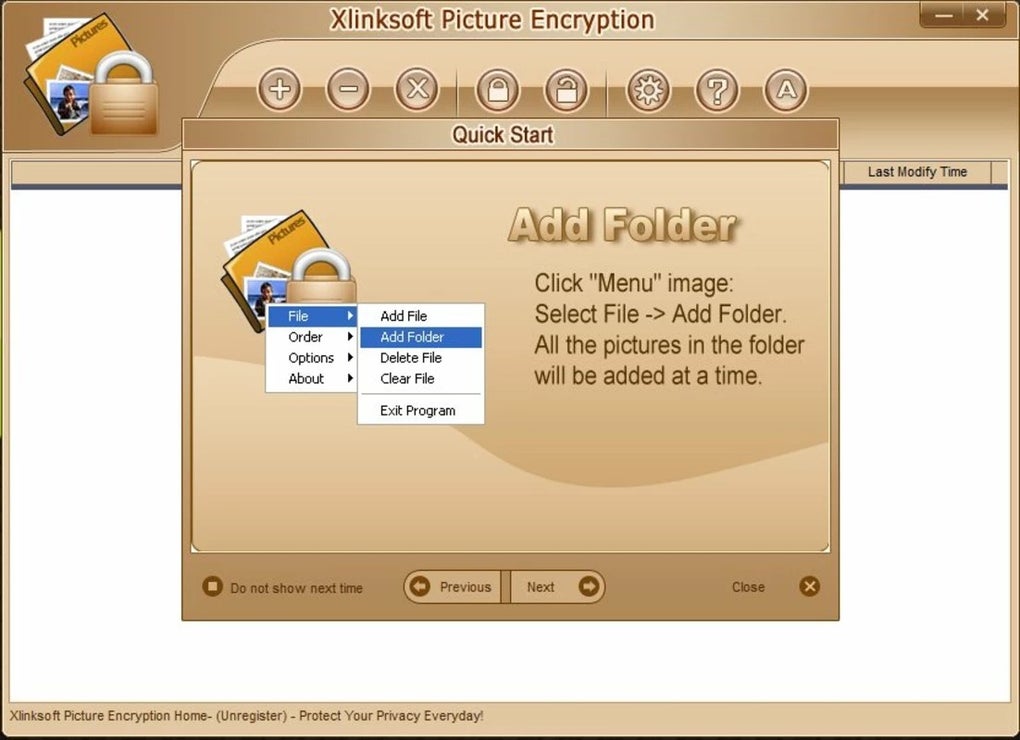
Once installed, launch the application, and you’ll be greeted with a clean, intuitive interface that guides you through each step. To encrypt your images, click on the “Encrypt” button and browse your computer to select the files you wish to protect. You can choose individual images or entire folders, and the software will process them all at once.
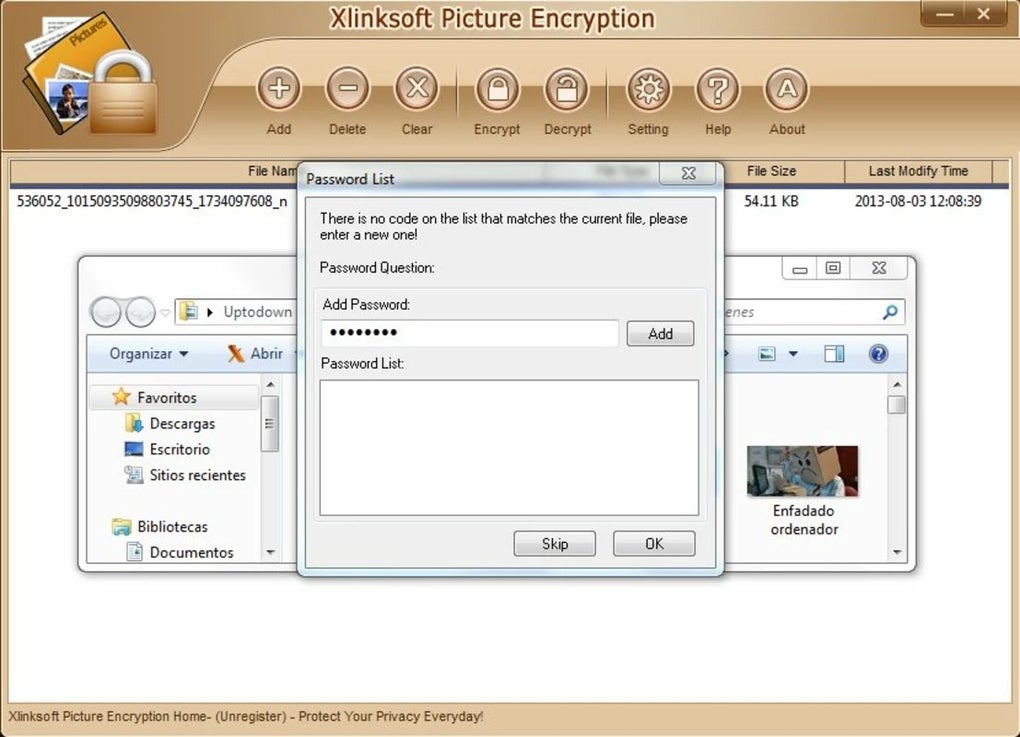
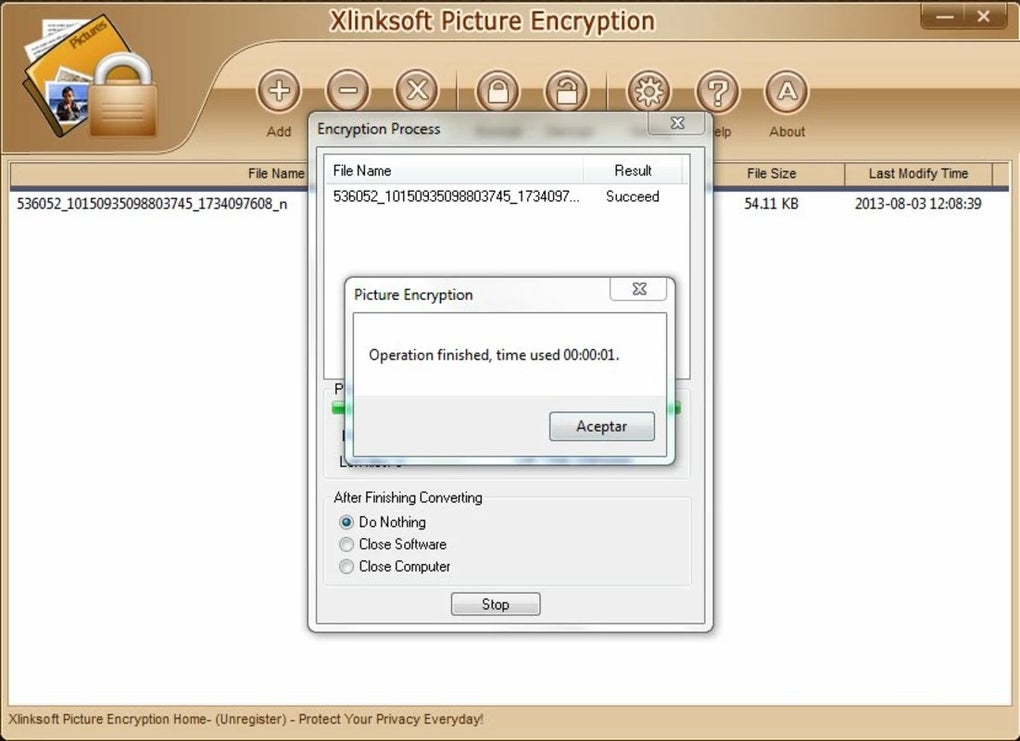
After selection, you’ll be prompted to create a strong password—make sure to use a mix of letters, numbers, and symbols for maximum security. You can also choose a custom output folder to store your encrypted files, ensuring they’re kept separate from your original photos. The encryption process is nearly instantaneous, even for high-resolution images, thanks to optimized algorithms.
Once encrypted, the files are saved with a unique .xps extension (Xlinksoft Picture Secure), which prevents accidental opening. To decrypt and view your images, simply open the software, select the encrypted file, enter your password, and click “Decrypt.” The original image is restored instantly. The software also includes a password recovery hint feature, which helps you remember your password without compromising security.
For added convenience, Xlinksoft offers a portable version that can be run from a USB drive, making it ideal for use on shared or public computers. With clear instructions and responsive support, even first-time users can master the tool in minutes.
Compatibility and System Requirements
Xlinksoft Picture Encryption is designed to work seamlessly across multiple platforms, ensuring broad accessibility for users with different devices. The software is officially supported on Windows 7 and later, including Windows 10 and Windows 11, making it ideal for both home and office use. For Mac users, it runs smoothly on macOS 10.12 (Sierra) and above, including the latest Apple Silicon (M1/M2) chips, ensuring optimal performance.
While the software does not currently offer a native iOS or Android app, the encrypted files can be transferred to mobile devices via cloud services or USB and decrypted using the desktop version. This cross-platform flexibility allows users to securely store images on their computers and access them from other devices when needed. The system requirements are modest, requiring only 512 MB of RAM and 100 MB of free disk space, making it suitable for older machines and low-spec laptops.
It does not require administrative privileges to install, which is a major plus for users on restricted networks or shared computers. The software is also compatible with external storage devices like USB drives and external hard drives, so you can encrypt and store sensitive images on removable media. Importantly, Xlinksoft Picture Encryption does not collect or transmit any user data—your passwords and files remain private and local.
This commitment to privacy enhances trust and makes it a secure choice for individuals who prioritize data confidentiality. Regular updates are released to fix bugs, improve performance, and enhance security, ensuring the software stays up-to-date with evolving threats.
Key Features of Xlinksoft Picture Encryption
- Advanced AES-256 encryption for military-grade security
- Support for multiple image formats: JPEG, PNG, BMP, GIF, and more
- Batch encryption and decryption for multiple files at once
- Intuitive, beginner-friendly interface with step-by-step guidance
- Customizable output folder and secure file naming
- Portable version available for USB drive usage
- Password recovery hints for secure password management
- Fast encryption and decryption speeds, even for large files
- No internet connection required—complete offline security
- Regular free updates for improved performance and security
Pros and Cons
Pros:
- Extremely secure with AES-256 encryption
- Simple and fast to use, even for non-tech users
- Free to download and use with no trial limitations
- Supports batch processing for efficiency
- Lightweight and low system resource usage
- Offline operation ensures no data leaks
- Portable version available for on-the-go use
Cons:
- Limited mobile app support (no native iOS/Android app)
- Encrypted files can only be decrypted on the same software
- No cloud backup integration built-in
Frequently Asked Questions (FAQ)
Is Xlinksoft Picture Encryption free to download?
Yes, Xlinksoft Picture Encryption is completely free to download and use. There are no trial periods, hidden fees, or watermarks. You can encrypt and decrypt your images without any cost.
Can I use this software on both Windows and Mac?
Absolutely. Xlinksoft Picture Encryption is available for both Windows and Mac operating systems, including the latest versions of Windows 10, Windows 11, and macOS 10.12 and above.
How secure is the encryption used by Xlinksoft?
The software uses AES-256 encryption, the same standard trusted by banks and government agencies. Your images are protected with military-grade security, ensuring that only someone with the correct password can access them.
Can I decrypt my images later?
Yes, you can decrypt your encrypted images at any time using the same software. Just select the encrypted file, enter your password, and the original image will be restored instantly.
Is there a mobile app for Android or iOS?
Currently, Xlinksoft Picture Encryption does not have a native app for iOS or Android. However, you can transfer encrypted files to your mobile device and decrypt them on your computer, or use the portable version on a USB drive.
Conclusion: Secure Your Photos with Confidence
If you’re looking for a reliable, free, and secure way to protect your private images, Xlinksoft Picture Encryption is an excellent choice. With its powerful AES-256 encryption, intuitive design, and cross-platform compatibility, it offers peace of mind for anyone concerned about digital privacy. Whether you’re safeguarding family photos, personal documents, or sensitive visual content, this software delivers top-tier security without complexity.
The ability to encrypt multiple files at once, the lightweight performance, and the availability of a portable version make it a versatile tool for everyday use. While the lack of a mobile app may be a minor drawback for some, the core functionality remains strong and accessible. Don’t wait—download Xlinksoft Picture Encryption today and take full control of your digital privacy.
Your memories deserve protection.
Download now and secure your private images with confidence!
Home Software Image Encryption Tools






